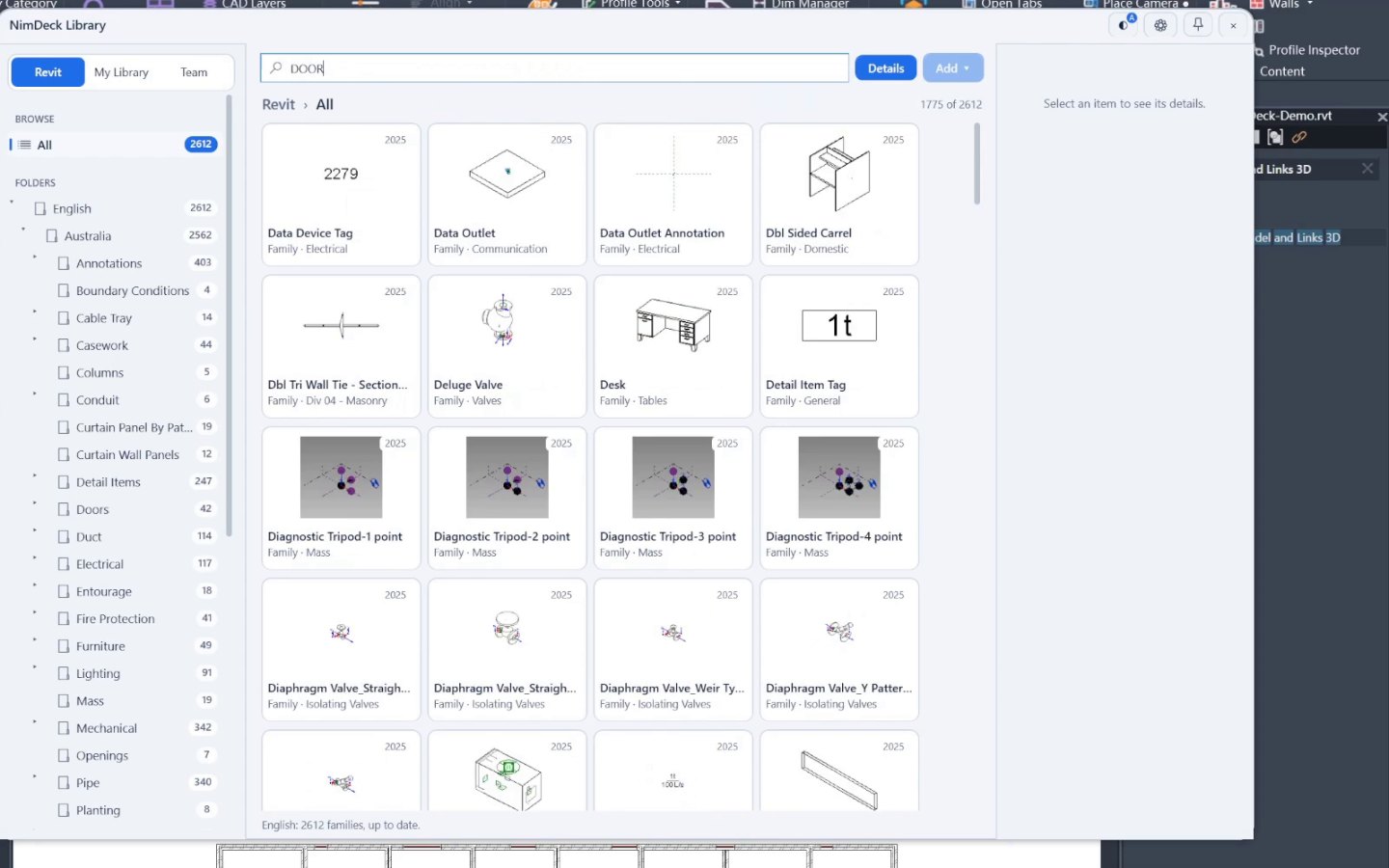
Everything you reuse, in one place
Families, drafting views, view templates, wall types, filled regions, line styles and view filters sit together as preview cards. Keep your own library, or point it at a shared folder for the whole office.

 Coming soon
Tools / Core
Families, types and view templates in one searchable library, shared with the office.
In Revit: NimDeck tab → Library
Families, drafting views, view templates, wall types, filled regions, line styles and view filters sit together as preview cards. Keep your own library, or point it at a shared folder for the whole office.
Search by name, family, category, tag or a type value such as a wall’s fire rating or Rw. Every word you type has to match, and #tag finds one tag exactly.
Double-click a card, press Enter, or drag it onto a Revit view. A view template goes onto the views selected in the Project Browser, and a wall type switches the walls you have selected.
Whoever can write to the shared folder can edit it; everyone else sees it read-only. Saves merge with what colleagues changed meanwhile, and an open window updates when someone else saves.